AI meeting assistant
A university hackathon project
During a university course in Human-AI interaction design I was participated in a 2-day design hackathon.
We worked in groups of 6 and we had to interpret a design brief and create 4 different prototypes; role, look&feel, implementation and integration (Houde & Hill). Me and one other teammate were responsible for creating the look&feel prototype.
The design brief had to do with finding a way to make online meetings more engaging (using AI) as a way to decrease carbon emissions that come from traveling for face-to-face meetings.
Process
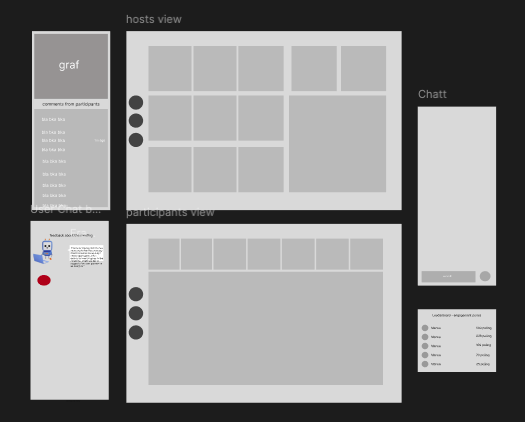
After talking with the team and coming up with an idea me and my partner started wireframing in Figma.
We wanted to use AI as a helpful chat-bot to summarize meeting points or re-tell missed parts of the meeting. As well as analyze overall engagement in the meeting by calculating an engagement-meter by collecting data of spoken and written words, as well as general feedback comments from meeting participants.
We also wanted to gamify the meeting by adding points for engagement such as talking, typing and other interactions, such as mini games.
End result
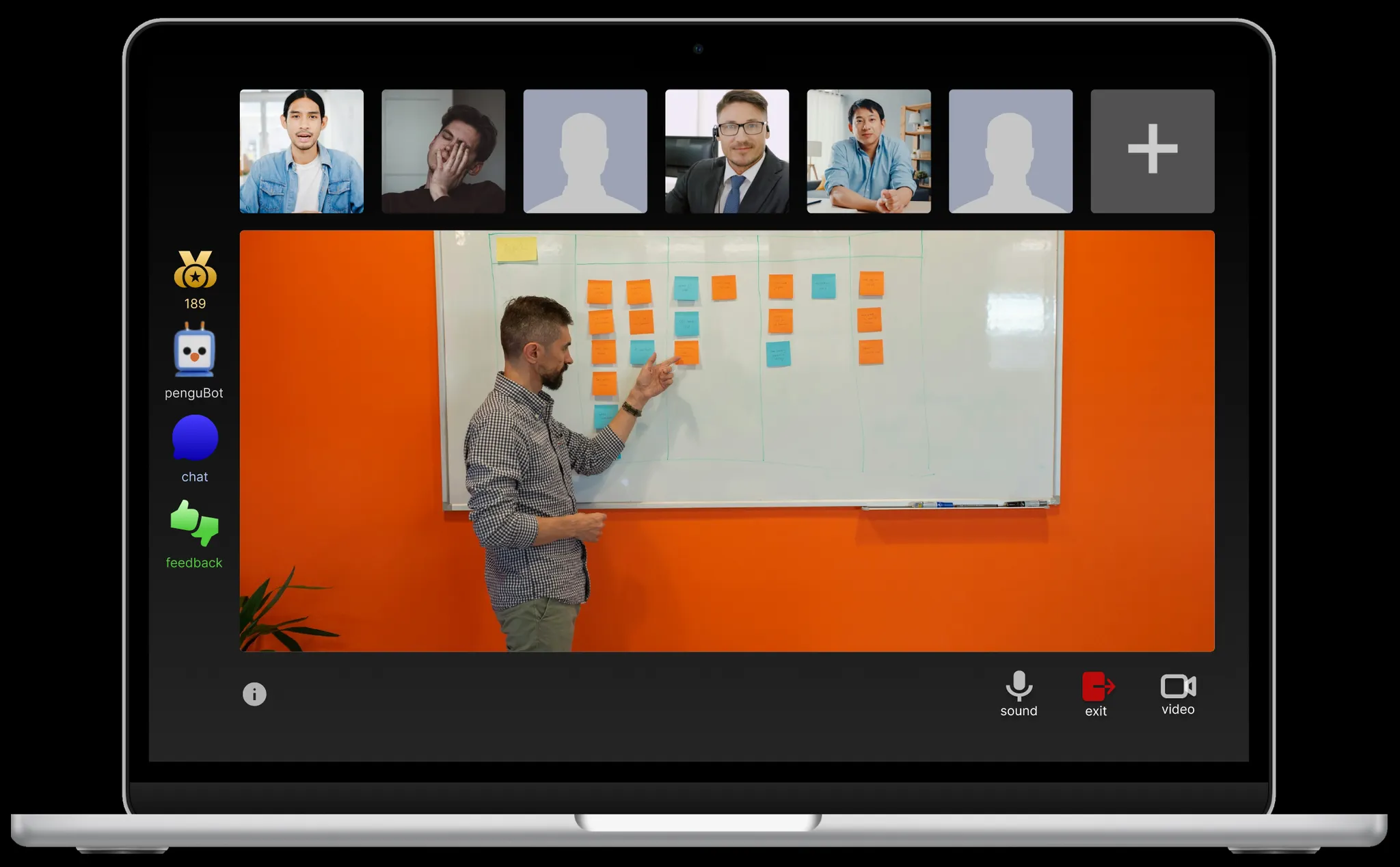
We created an interactive Figma prototype of an online meeting with 2 flows, one for the hosts point of view and one for the participants point of view.
The participant is able to leave anonymous feedback about the meeting or host as well as chat with an AI-bot for questions about the meeting. In order to view an example of a question & answer, please press the space bar while having penguBot open.
The host is able to see the feedback comments as well as a graph of the general engagement. The feedback button on the menu changes color from green to yellow to red, green meaning good/high engagement and red meaning bad/low engagement. In order to demonstrate this, please press G, Y and R keys for respective color.
In order to compete with each other, participants are able to see a top 5 rank of engagement scores in the meeting. We also created a mini game, started by the host at the end of the meeting after pressing exit, that is supposed to summarize the contents of the meeting with the help of AI. Here, you can also gain engagement points. Information about the point system and AI use can be found in the prototype under the information button for transparency and clarity. The mini game was designed by other team members.