Customer database
A university participatory design project in collaboration with Hund i Balans
Overview
During a Participatory Design course at University my group partnered with a small dog training company in Stockholm called Hund i Balans, to study how a UX design solution could improve their current problems.
During the course we found a main problem; the two dog trainers had a lot of fragmented information regarding private lessons with dog owners and needed a system to easily access and administer this information.
We designed a customized database where they can find and share customer information and lesson notes in one place.
Process
Our design process consisted of four workshops with the two dog trainers, one consultant and former customer as well as a current customer.
Contextual inquiry
Our first workshop consisted of us observing a real private lesson with a dog owner. We observed and noted during their normal process and asked follow up questions to clarify processes in the end.

2. Future workshop
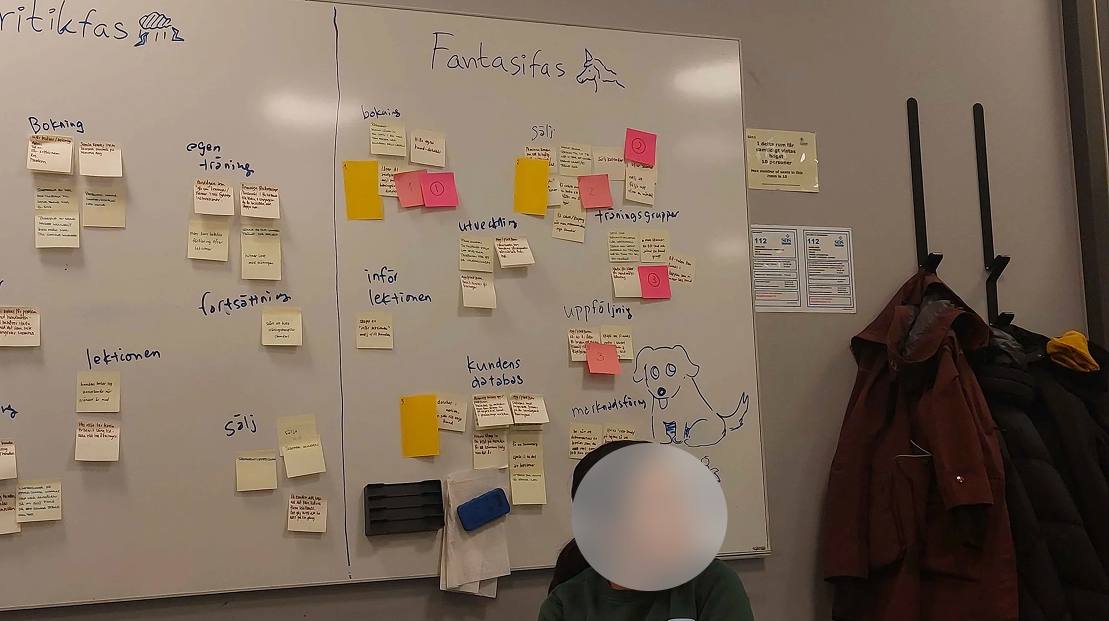
We met once again with the participants and performed brainstorming sessions with affinity mapping in order to find current problems and solutions within the business. A few different ideas came up, both from the customers perspective as well as the employees. After considering possible implementations we decided to move forward with designing an internal system for the dog trainers.
3. Prototyping
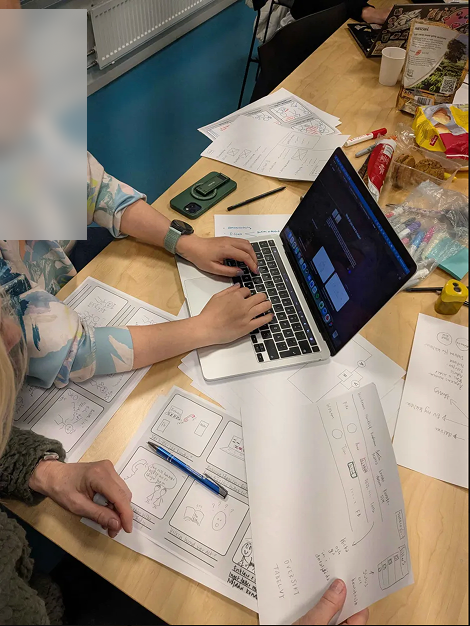
From the future workshop insights we created three design concepts for the participants to consider moving forward with. They chose a system for collecting and administering data about customers including booking status, client information as well as lesson notes in one place. They got to create role prototypes with storyboards, then moving on to drawing low fidelity wireframes of the system that we later uploaded to Figma make to give them an idea of what the real system could look like.
4. Prototype evaluation
Prior to our last workshop we created two different look & feel prototypes of the system in Figma with different layout, functionality and visual style. The participants got to identify which aspects they wanted to move forward with for the final system. Afterwards, the team created a final design based on the feedback in Figma Make and presented this for the final presentation of the course work.
Results
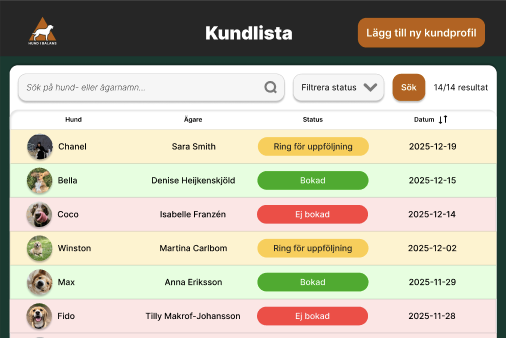
Our final prototype was a customized customer database using the current visual style of their website. The prototype was made in Figma and then moved to Figma make and with the help of the plugin Supabase we made it an interactive, testable prototype.
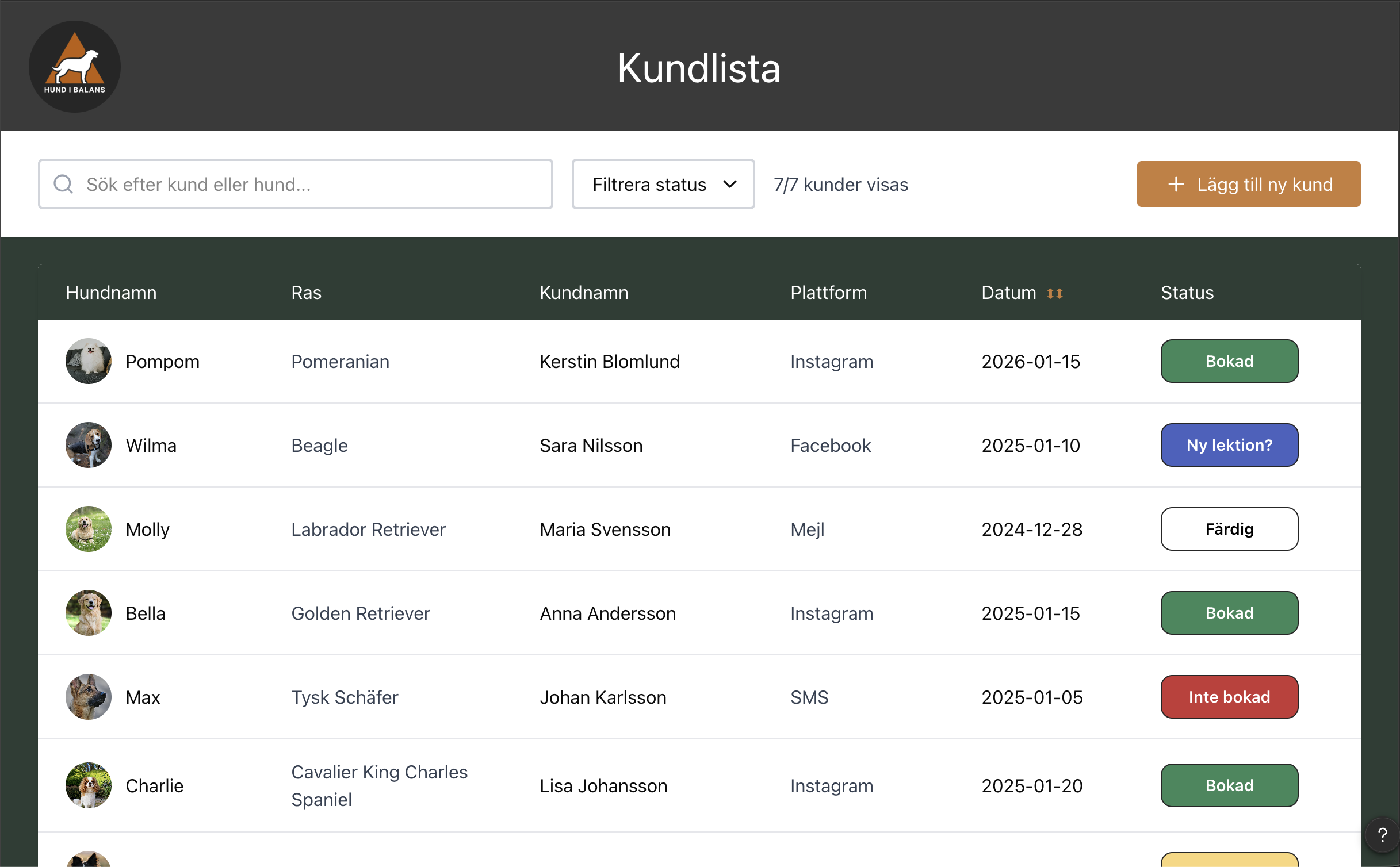
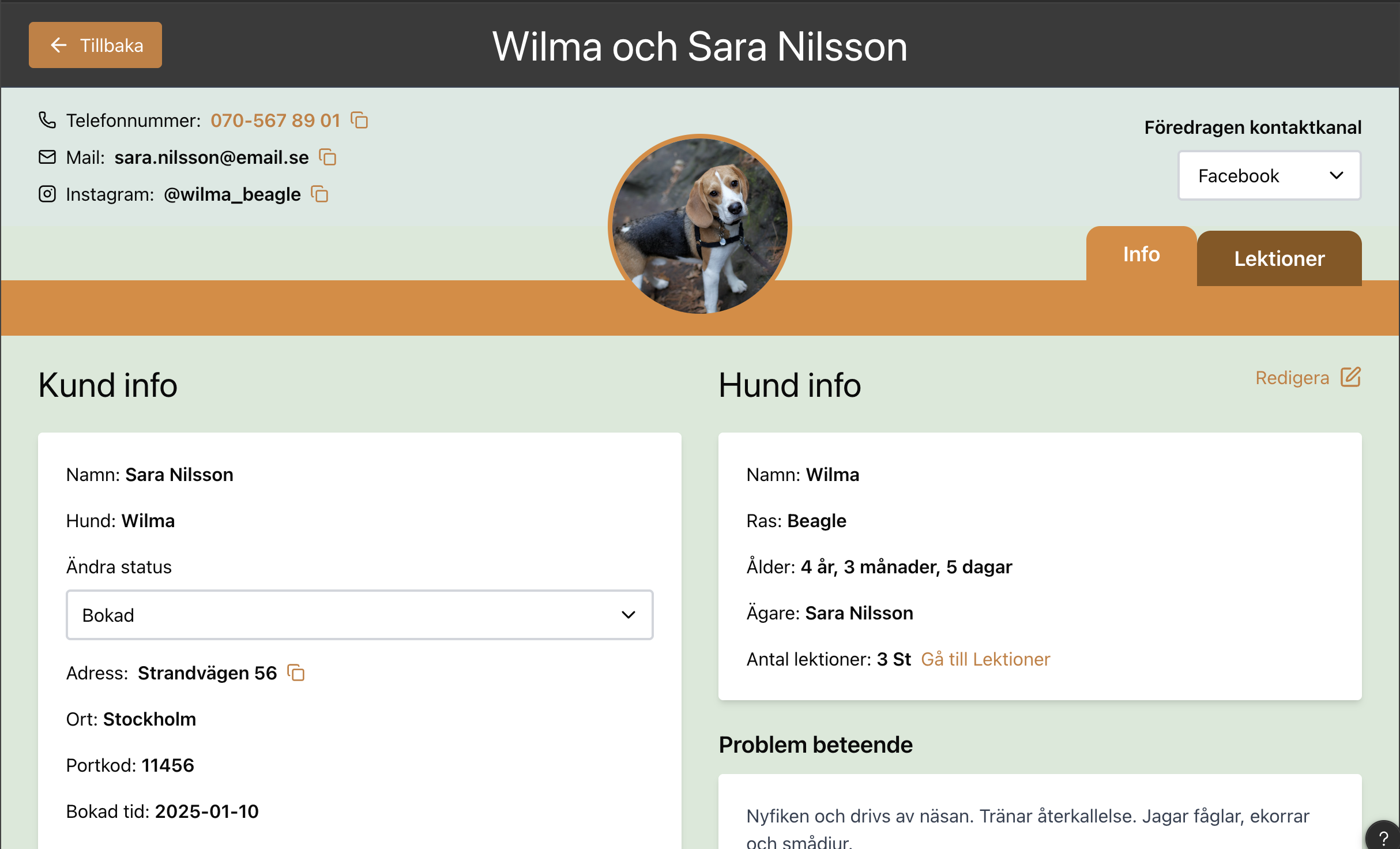
A thorough and informative overview of client information is visible on the first page and each customer profile contains separate pages of customer info & lesson notes.
Below, I will demonstrate the main problems that our design could potentially solve!
Unclear booking status
The dog trainers receives booking requests from multiple channels and platforms such as via Instagram, calls, their website and more. This made it difficult for them to keep track of which clients were in need of being contacted in order to discover whether more lessons were needed. We created a visible status icon in the main database table that can be changed as needed. The status options are customized for the company’s needs and work flows.
Sharing of lesson notes
The dog trainers work together at times but other times they visit customers alone. However, notes of lectures are typically kept by one of the trainers in a physical book. They enjoy documenting physically in the book since they are accustomed to it and also feel it gives a more warmer treatment to the customers.
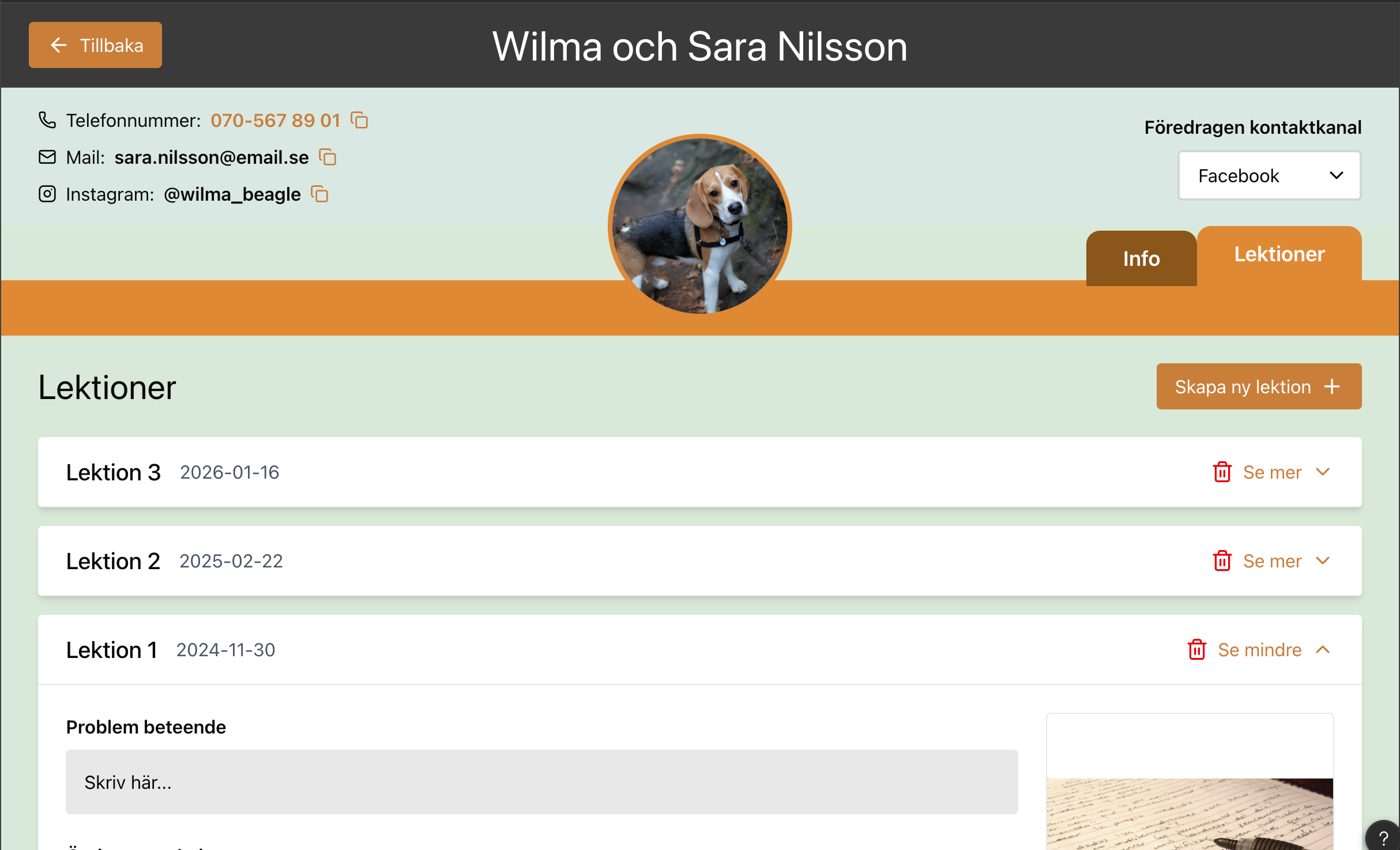
When the two are not together, it is however difficult to keep up with previous lesson progress and appear informed and professional. With the lesson note feature in our system, we allow the trainers to add both pictures of physical notes as well as adding any digital notes they need. These are structured in clear lesson tabs for each customer for quick and clear access.
Access to customer & contact info
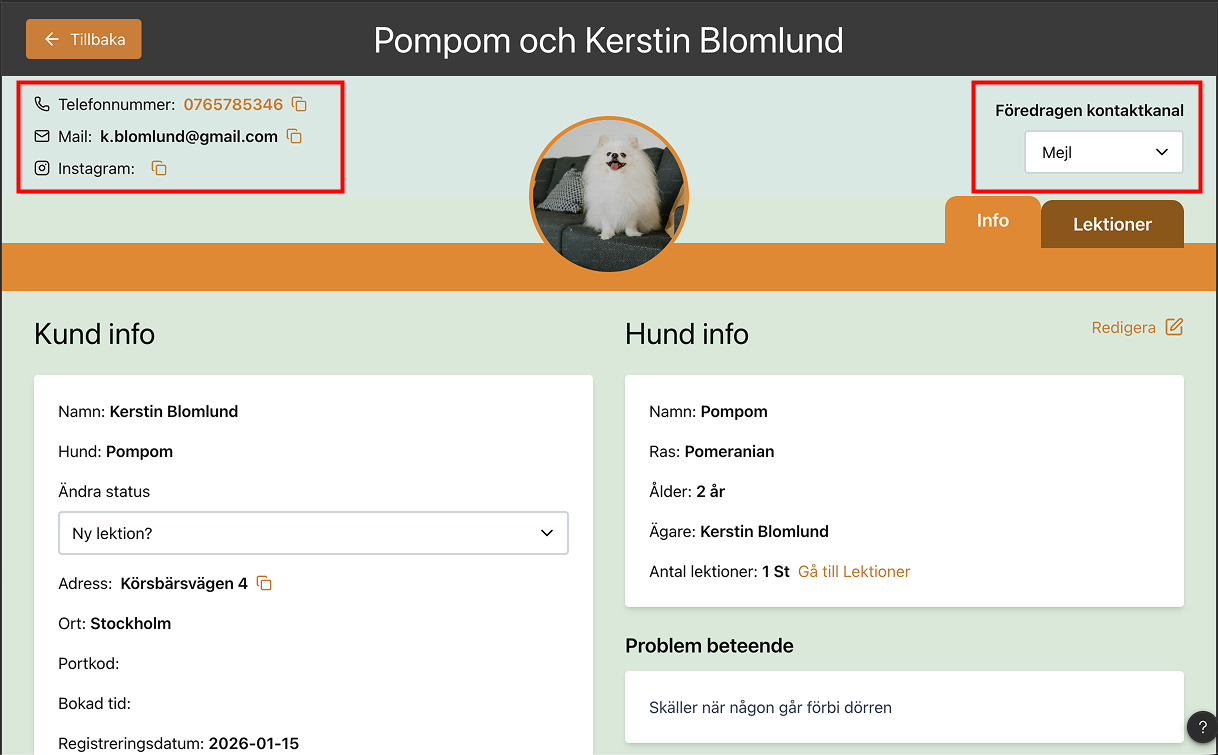
The customers stay in touch with the company through many channels; social media, calls, texts, website, emails etc. This makes it difficult for the trainers to find and quickly get in contact with a client.
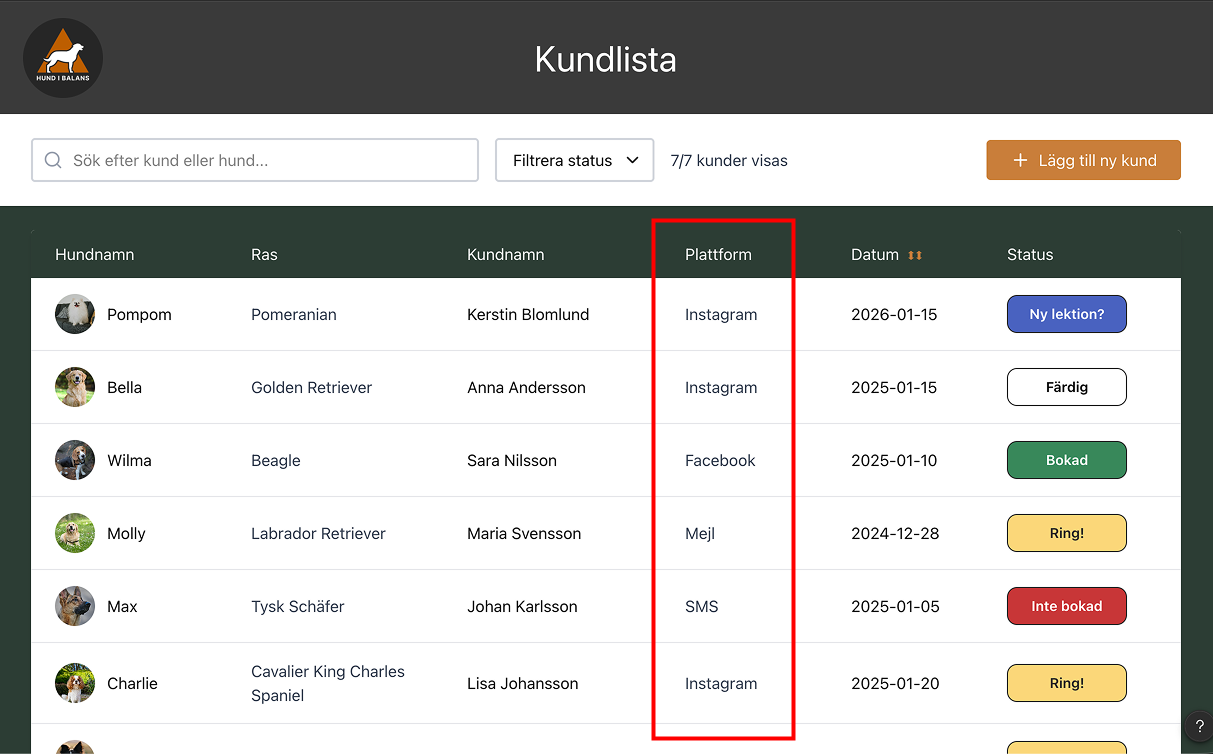
Our system solved this by having all of the contact information clearly visible at all times on the clients profile, as well as a preferred contact method also visible in the main table view. That way, the trainers can quickly see where their customer is easily contacted and how to do so.